Reatil Back Office: Inventory Reports
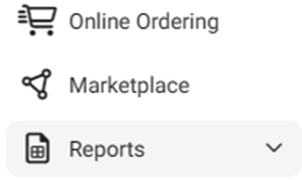
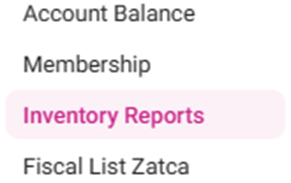
Navigation: Log into the Back Office for your Retail Store, then select Reports > Inventory Reports.
The Inventory Reports page is organized into multiple tabs:
Master Stock
Purchased Item
Consumption Log
Compare Inventory
Count Sheet
COGS
Adjust Inventory
Inventory Item History
Matrix Report
Wastage Report
Master Stock
High-level details about item inventory. Select a Type, Category, Sub Category, Transaction Type, Inventory Item and Time Period, then click Apply.
- TYPE: Select Retail Item. Additional dropdowns will appear.
- CATEGORY: Select a Category (from set established in Back Office), or ALL categories - with Search option to identify a category more quickly.
- SUB CATEGORY: Select a Sub Category (based on selected Category, from set established in Back Office) or ALL Sub Categories- with Search option to identify a Sub Category more quickly.
- RETAIL ITEMS: Displays the dropdown based on your Type selection.
- TRANSACTION TYPE: Select the transaction type for inventory items. For Transfer In, Adjusted Increase and Purchase, the Quantity column is denoted as a positive value - and for Transfer Out, Sale, Adjusted Decrease, and Consumption Inventory, the Quantity column is denoted as a negative value. Also, the Value on Hand / Quantity and Price Per Unit are displayed based on the Transaction Type calculation.
- Master Stock Table: When Apply is clicked, the below columns appear.
- Business Date: The business date of purchase/sale/transfer in/transfer out/consumption inventory.
- Transaction Date: The date of purchase/sale/transfer in/transfer out/consumption inventory.
- Transaction Time: The time of purchase/sale/transfer in/transfer out/consumption inventory.
- SKU Code: The user defined code in Item creation screen (not a mandatory field).
- Category: The Category the Item was added under when created in Back Office (BO).
- Sub-Category: The Sub Category the Item was added under when creating in BO.
- Transaction Type: The type of transaction (same options as the above dropdown).
- Item Type: The type of Item.
- Inventory Item: This name of the Item.
- Purchase Unit: The purchase unit chosen for the item.
- Inventory Unit: The unit measure of the of the Item.
- Quantity: The quantity used in Transaction Type.
- Price Per Unit: If Weighted Average Price was chosen in inventory settings, this column displays the last Weighted Average Price Per Unit. If Last Price was chosen, this column displays the latest received Price Per Unit.
- Tax: The amount of tax applied to the Item.
- Total: The Total Amount – excluding any Tax Amount (Quantity * Price Per Unit).
- Qty on Hand: The quantity on hand.
- Value on Hand: The Relevant Price for the quantity on hand.
- Weighted Average Price: The weighted average price of the inventory item.
- Note: If Last price was chosen in Inventory Settings, this column’s values will appear as NA.
- Last Received Price: The last received price of the Item (at time of Received Log Price).
- Vendor Name: The name of the vendor.
- Invoice Number: The Invoice Number (applicable to the sale).
- Store / Storage In: The Primary Storage (at the time of purchase).
- Store / Storage Out: The Secondary Storage (to which storage it reaches).
- Authorized Person: The username of the authorized individual (based on captured log).
- Par level: The minimum stock quantity of the Item.
- Currency: The type of currency used for the Transaction.
Purchased Item
High-level details about purchased items.
- For the Type select Retail Item.
- Select from the Category Level (if Sub Category is selected then select from the Sub Category dropdown) and Retail Item dropdowns.
- Select the Time Period then click Apply. The below table is populated.
- Name: The Name of the purchased inventory item.
- SKU Code: The unique code number for the item.
- Created Date: The date the Purchase Order was created (DD-MM-YYYY HH:MM:SS format).
- Quantity: The quantity of the purchased item
- Unit Name: The unit set for the inventory item.
- Price: The price of the purchased item. (Price Per Unit set in Vendor section).
- Tax: The inventory item Tax.
- Total: The Total amount (Price + Tax).
- Type: Retail Item
Consumption Log
High-level details about consumed inventory.
- For Type select Retail Item.
- Select from the Category Level (if Sub Category is selected then select from the Sub Category dropdown) and Retail Item dropdowns.
- Consumption Type: Select System (made systematically during sale), Manual (made during preparation of Menu Item), or ALL (both).
- Click Apply. The below table containing the following columns is populated:
- Consume Date: The business date for the consumption date will be shown.
- Name: Name of the Retail Item. A clickable link which displays the Individual Item screen.
- Item Type: An option from the Type dropdown (Retail Item).
- Quantity: The amount of consumption made for the business type will be shown.
- Unit: The unit measure for the Item.
- Note: The columns will be same for all Item Type.
- Individual Item Screen – Appears when a Retail Item value in the Name column is clicked. A table with the below columns appears (click <- to revert to the main Consumption Log Table).
- Consume Date: The date the item was used.
- Quantity: The amount of the item consumed.
- Unit: The unit of measurement set for the item.
- Reason: The reason for the consumption will be shown along with the sale details.
- Consume Type: Consumption type (system or manual).
Compare Inventory
High-level details comparing inventory levels based on activity over a time period.
- For Type, select Retail Item.
- For Business Date, select an option similar to Time Period.
- Click Apply. The table with the following columns is populated:
- Name: The name of the Item Type (based on the Type selection).
- Beginning
- Quantity: The beginning (before purchase) quantity of the item type.
- Price: The beginning (before purchase) price of the item type.
- Purchase
- Quantity: The amount of the item type that was purchased.
- Price: The purchase price (cost of the purchase item) of the item type and.
- Ideal Used
- Quantity: How effectively the quantity of the chosen item from the filter is used based on the sale.
- Price: The used item’s price details.
- Adjusted
- Quantity: How much quantity of the chosen item from the filter is adjusted (adjusting the count of the item without purchase order or without using menu item).
- Price: The adjusted quantities price detail based on the time filter.
- Wastage
- Quantity: How much quantity of the chosen item from the filter is wasted (damaged/expired etc) based on the time filter.
- Price: The wastage quantities price detail.
- Usage
- Quantity: The overall used quantity of an item based on the time filter. Formula = Ideal Used Quantity + Adjusted Quantity
- Price: The usage quantity’s price detail (Ideal Used Quantity Price + Adjusted Quantity Price).
- Transfer In
- Quantity: Then amount of the chosen item was transferred in (received from another store or central warehouse or central kitchen) during the time period.
- Price: The pricing detail of the Transferred Out quantity.
- Transfer
- Quantity: Then amount of the chosen item was transferred out (sent to another store or central warehouse or central kitchen) during the time period.
- Price: The pricing detail of the Transferred Out quantity time filter.
- On Hand
- Quantity: The available amount of the chosen item that was on-hand during the time period.
- Formula = Beginning Quantity + Purchase Quantity – Usage Quantity + Transfer In Quantity – Transfer Out Quantity Variance + Variance
- Price: The pricing detail of the available amount during the time period. Formula = Beginning Quantity Price + Purchase Quantity Price – Usage Quantity Price + Transfer In Quantity Price – Transfer Out Quantity Price
- Unit: The Inventory Unit of the chosen filters.
- Any negative values will apply to both the Quantity and Price columns.
- Type: The Type of item (an option from the Type dropdown).
Count Sheet
Displays the inventory and value based on the type of Item and Storage location.
- Select from the following fields along with Time Period:
- For the Type select Retail Item.
- Select from the Category Level (if Sub Category is selected then select from the Sub Category dropdown) and Retail Item dropdowns.
- Storage Location: Select a Location (based on options created under Inventory > Storage Location).
- Click Apply. The table with the following columns is populated:
- Name: The name of the item under the selected store.
- Vendor Name: The Name of the vendor of the inventory item.
- Item On Hand: The total quantity of the item purchased from the vendor.
- Vendor On Hand: The total quantity of the item available from the vendor Inventory item can purchased from different vendors so in Vendor On Hand.
- Note: If the item is created with multiple vendors, each vendor with inventory is displayed as a separate item with its respective quantity.
- Unit: Measurement of the Inventory item.
- Cost: The value based on the total on-hand quantity of the item.
- Type: The Type of item (an option from the Type dropdown).
COGS
Displays the inventory and value based on the type of Item and Storage location.
- Select the COGS Type and Time Period. For COGS Type:
- If Products/Items is selected, for Type select Retail Item, then select a Retail Item (or ALL).
- If All is selected (Default), no additional dropdowns appear.
The Total Cost appears at the top, with the following columns below: - Item: The name of the Item.
- Type: The type of Item (an option from the Type dropdown).
- SKU Code: The unique ID Number of the Item.
- Quantity: The count of the number of items.
- Cost: The cost of the item(s) toward the sale.
Department Total Table: The table appears at the bottom, with the below columns:
- Name: The name of the Department.
- Cost: The cost for the respective department.
- Percentage: The percentage (%) of the department sold.
- If Inventory is selected, select the Level then click Apply:
- If Category is selected, select the Category (or ALL).
- If Sub Category is selected, select the Sub Category (or ALL).
- Inventory Item Table – When Apply is clicked, the following graphics and columns appear:
- Total Income: (blue tile with a money sack icon) – the total income from the inventory.
- Total Cost: (pink tile with a dollar sign and square icon) – total cost of the inventory.
- Cost Percentage: (green tile with a % symbol and floral icon) – the cost percentage of the inventory.
- Item: The name of the item. Click the plus sign (+) next to it to expand it into an itemized list.
- Unit Price: The price of the item.
- Sold Quantity: The number of the category’s units sold.
- Total Income: The total value (including tax) of the category.
- Cost Per Unit: The cost mapped for the item.
- Total Cost: Total cost of the inventory category.
- Cost %: The cost percentage of the item.
- Discount: The discount applied from POS to the menu item.
- Net Revenue: The revenue made from the sale of the item.
- Revenue Cost %: Revenue cost % of the menu item.
Adjust Inventory
Displays the inventory and value based on the type of item and storage location.
- For the Type select Retail Item.
- Select from the Category Level (if Sub Category is selected then select from the Sub Category dropdown) and Retail Item dropdowns.
- Select the Time Period.
- For the Reason Type, select one or more Reason Type checkboxes from the dropdown (or Select All [default]).
- These were created under Inventory > Adjust Inventory Reasons.
- Click Apply. The table with the below columns is populated, broken down by the highlighted Reason Type:
- DATE: Date & Time the inventory was adjusted (DD-MM-YYYY 0:00 AM/PM format).
- Item Name: Name of the item which was adjusted.
- SKU Code: Unique code assigned for item.
- Type: The type of item (from the options in the Type dropdown).
- From Quantity: Initial quantity of items before adjustment.
- To Quantity: Adjusted quantity of items after adjustment.
- Difference: The value of the difference between the To and From Quantities.
- Comments: Any notes entered in the comments during the adjustment of the inventory.
- User Name: The username of the selected Store.
Inventory Item History
Displays inventory activity at the Item level.
- For the Type, select Retail Item followed by a Retail Item (or ALL).
- Select a Time Period, then click Apply. The table with the following columns is populated:
- Inventory Item: The name of the item.
- Item Type: Retail Item
- Date: The Date & Time the inventory was updated (DD-MM YYYY HH:MM AM/PM format).
- Name: The Name of the item.
- SKU Code: The unique code assigned to the item.
- Type: The type of item (Inventory or Retail).
- Event: The event that occurred for the inventory (Modify, Created, Adjusted, Restored).
- Log: The amount of change to inventory item (such as Quantity or Price Per Unit).
- User Name: The User ID of the device from where the sale was made.
- Inventory Item Screen: When the Inventory Item name is clicked, a screen displaying a table with the below columns appears.
- Inventory Item: The selected Inventory Item.
- Item Type: The type of item (from the options in the Type dropdown).
- SKU Code: The item’s unique code assigned.
- Date: The Date of the item’s Event (MM-DD-YYYY HH:MM AM/PM format).
- Event: The event that occurred for the inventory (Modify, Created, Adjusted, Restored).
- Log: The amount of change to inventory item (such as Quantity or Price Per Unit).
- User Name: The User ID of the device from where the sale was made.
- Click <- to return to the main Inventory Item History Reporting screen.
Matrix Report
Displays high-level sales activity of inventory.
- Select a Level (followed by Category / Sub Category) and Time Period.
- Category – Select from the Category dropdown that appears.
- If Sub Category is selected, select from the Sub Category dropdown that appears.
- If ALL is chosen, no additional dropdowns appear.
- Click Apply. The table with the following columns is populated:
- Item – The name of the menu item.
- SKU Code – The unique ID of the Item.
- Sold Quantity – The amount that the menu item sold.
- Popularity – The percentage of sales of the individual item’s sales vs the total sold quantity.
- Cost Per Unit – Understanding the cost of each unit you produce is essential to ensure your business remains profitable.
- Formula = Total Cost / Sold Quantity
- Sale Price Per Unit – Formula = Sales / Quantity (number of units) Sold.
- Profit – Profit is the revenue remaining after all costs are paid. Formula = (Selling Price - Discount - Inclusive Tax – Total Cost) / Sold Quantity.
- Total Cost – The sum of cost of all items.
- Total Revenue – The store’s total income. Formula = Selling Price - Discount - Inclusive Tax.
- Total Profit – Formula = Selling Price - Discount - Inclusive Tax - Total Cost.
- Profit Category and Popularity Category – 2 levels (High or Low - based on the Threshold value configured in settings).
- Menu Item Class – 4 classes based on a category’s profitability and popularity:
- Stars: High Profitability and high popularity.
- Plow Horse: Low Profitability and High Popularity (costly to make).
- Puzzles: High Profitability and Low Popularity (difficult to sell).
- Dogs: Low Profitability and Low Popularity (costly to make and difficult to sell).
Wastage Report
Displays inventory’s high-level sales activity.
- Select a Type:
- Sale Void – Retail Items which were voided after being prepared.
- Manual – Retail Items manually voided when adjusting inventory.
- Purchase Expired – Retail Item purchased after the expiration date.
- Item Yield – Retail Item of which a portion was not used.
- Select a Time Period then click Apply. The below table with the following columns is populated:
- Date: The Date & Time the wastage was adjusted (DD-MM-YYYY HH:MM AM/PM format).
- Item Name: The Name of the retail item moved to wastage.
- Item Type: The type of item wasted (Retail Item).
- Wastage Type: Adjustment type (Purchase Expired, Sale Void, Item Yield, or Manual).
- Quantity: The amount of this retail item SKU that was wasted.
- Cost Per Unit: The cost of the retail item SKU per quantity.
- Cost: The Quantity multiplied by the Cost Per Unit.