Retail Back Office: Account Balance Report
Navigation: Sign into the Back Office for your Retail Store, then select Reports > Account Balance
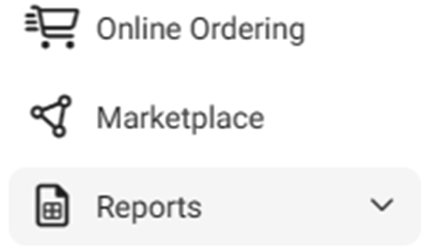
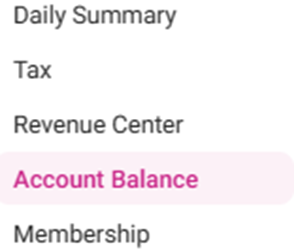
The Account Balance page displays the Balances of the Store’s Account on a selected Day.
Select a Date (calendar view). Only 1 date can be selected at a time.

To the right, click Apply.

When Apply is clicked, the below table displays the Store's Account Balance activity during the selected Date. It contains the following columns:

Date – The selected Date.
Memo – The sale Category and Retail Items.
Account – Any pre-defined text related to the sales (configured in account balance settings.
Debit – The amount of money debited for the Category such as discounts and refunds from the Store.
Credit – The amount of money from sales that is credited to the Store.
Total – Bottom row, the sum of all values for the Debit and Credit columns.
Related Articles
Retail Back Office: Account Balance Report Settings
Navigation: Sign into the Back Office then select a Store. On the left-side Navigation Panel, click Settings. On the Settings page, under Reports click Account Balance. The Account Balance page contains multiple fields to fill in. Enter a value in ...
Retail Back Office: Exchange Reports
Navigation: Log in to the Back Office for your Retail Store, then select Reports > Exchange The Exchange Report page that appears will display Today's data by default, but you can select a Time Period from the dropdown and select any Date(s) if ...
Retail Back Office: Enterprise - Reports
Navigation: Sign into the Back Office. On the left-side Navigation Panel, click Enterprise. Select Enterprise Reports, and the dropdown contains options to access specific reporting Dashboards: Enterprise Reports Sale Report The Sale Report dashboard ...
Retail Back Office: User Management - Roles
Navigation: Sign into the Back Office for your Retail Store, then select User Management > Roles The Roles page appears, which displays a table of the currently existing Roles within this Retail Store, with the following columns: Create a New Role or ...
Retail Back Office: Sale Reports
Department Category Sub Category Retail Item Hourly Daily Sale Recap Cashier Out Weekly Summary Sale Summary Cashier Out Weekly Summary Sale Summary Department The default tab on the Sales Report screen. It shows data from all Departments by default, ...